Medical note: This article is for general education and does not diagnose or treat any condition. New, severe, or persistent symptoms should be discussed with a qualified healthcare professional. This article contains one clearly identified sponsored provider link.
Digestive symptoms are unusually difficult to summarize from memory. A week of bloating, reflux, abdominal discomfort, nausea, or changes in bowel habits can blur together by the time an appointment arrives. That is why symptom diaries and digestive-health apps can be useful: they give people a consistent place to record what happened, when it happened, and what else was going on. The important word is record. An app can organize observations, but it cannot examine a patient, order a validated test, interpret a biopsy, or safely rule out a serious condition.
A sensible digital strategy is therefore not “let the app tell me what I have.” It is “use the app to create a clearer history, notice changes, and communicate efficiently with a clinician.” This guide explains how to do that without falling for overconfident scores, automated diagnoses, or unnecessary anxiety.
What a digestive-health app can do well
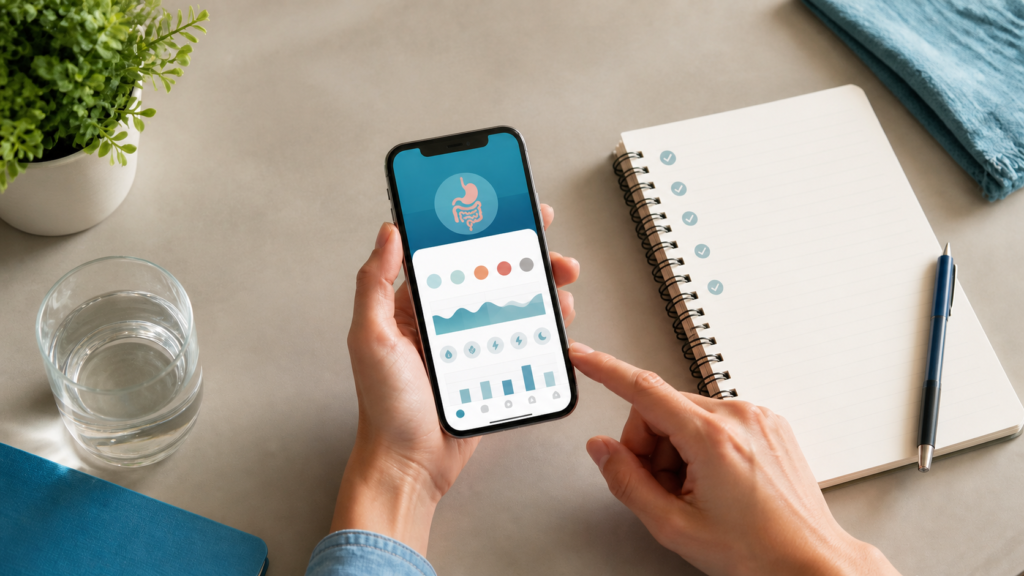
The most useful apps perform simple tasks reliably. They let a person record meals, symptoms, medicines, sleep, stress, bowel movements, and the timing of each item. A good tool can display those entries as a calendar or chart and export a short report. That can be especially helpful when symptoms are intermittent or when a treatment plan needs to be reviewed over several weeks.
Digital reminders may also improve consistency. Someone who forgets to record symptoms until the end of the week will produce a less useful history than someone who makes a 30-second entry at roughly the same time each day. The goal is not perfect data. It is a reasonably accurate pattern that a healthcare professional can interpret alongside medical history, an examination, and any appropriate testing.
Apps can also help patients prepare questions. For example: Did discomfort usually begin before or after eating? Did it occur at night? Was a new medicine started around the same time? Was there vomiting, fever, bleeding, trouble swallowing, or unintentional weight loss? These details often matter more than a colorful “gut health score.”
Build a useful symptom record
A long diary is not automatically a good diary. Ten pages of every ingredient and every minor sensation may hide the few facts a clinician needs. A concise daily record can include:
- Date and time: when the symptom began and how long it lasted.
- Location and character: where discomfort occurred and whether it felt burning, cramping, sharp, dull, or pressure-like.
- Severity: a simple 0-to-10 rating used consistently, plus whether it interrupted sleep, work, or eating.
- Associated symptoms: nausea, vomiting, fever, difficulty swallowing, constipation, diarrhea, blood, black stool, jaundice, or weight change.
- Food and medicines: relevant meals, alcohol, supplements, prescription drugs, and over-the-counter products.
- Context: recent travel, illness, major stress, pregnancy, or a known digestive diagnosis.
Record facts before interpretations. “Burning discomfort started 40 minutes after dinner and lasted one hour” is more useful than “my stomach acid is too high.” The second statement is a diagnosis the data cannot establish. Photos should be used cautiously and stored only if they are genuinely needed; health images and notes may contain sensitive information.
What an app cannot safely decide
Many digestive complaints share symptoms. Indigestion, for example, may include upper-abdominal pain or burning, early fullness, bloating, nausea, or belching. The U.S. National Institute of Diabetes and Digestive and Kidney Diseases (NIDDK) explains that clinicians may use history, an examination, and selected tests to determine the cause. Depending on the situation, testing can include an upper gastrointestinal endoscopy, imaging, or testing for H. pylori. A symptom-matching algorithm does not have that clinical context.
An app also cannot determine whether an endoscopy or colonoscopy is appropriate. Upper GI endoscopy uses a flexible camera to examine the esophagus, stomach, and first part of the small intestine. It can also allow tissue samples to be collected. That decision requires an individualized assessment of symptoms, risks, medical history, and alternatives—not a generic pop-up based on a checklist.
Be wary of any app that promises to “rule out” cancer, guarantees a diagnosis, recommends stopping prescribed medicine, or sells a supplement as the automatic answer to a score. Even a technically polished interface can present weak medical reasoning.
Red flags should bypass the app
Some symptoms deserve prompt medical attention rather than more tracking. According to the NIDDK, concerning features associated with indigestion can include chest, jaw, neck, or arm pain; difficulty or pain with swallowing; frequent vomiting; bloody vomit; severe and constant abdominal pain; shortness of breath; unintentional weight loss or loss of appetite; yellowing of the eyes or skin; and black, tarry stools. Severe dehydration, fainting, confusion, or an inability to keep fluids down can also require urgent evaluation.
This is not a complete emergency list. If symptoms feel severe, rapidly worsen, or may be life-threatening, seek emergency care. Do not wait for an app notification, a chatbot response, or a routine appointment slot.
When a specialist may enter the picture
Primary-care clinicians manage many common digestive problems and can decide when specialist input is useful. Referral may be considered for persistent symptoms, suspected complications, abnormal tests, inflammatory bowel disease, liver or pancreatic concerns, swallowing problems, unexplained bleeding, or a procedure such as endoscopy. The right pathway depends on the patient, not on a universal online rule.
People in Maryland comparing local options can review the services, providers, locations, insurance information, and appointment policies of a gastroenterologist practice and compare them with other qualified providers. The linked practice is sponsored placement; inclusion is not a medical endorsement, and patients should independently verify credentials, coverage, availability, and whether a referral is required.
Privacy questions to ask before installing
Digestive diaries may reveal diagnoses, medications, pregnancy information, alcohol use, diet, and bathroom habits. Before entering any of that, read the privacy notice in the app store and on the developer’s website. Check what data are collected, whether an account is required, how information is used, whether it may be shared for advertising, and how to request deletion.
Use a unique password and enable multi-factor authentication if offered. Avoid putting a full name, date of birth, insurance number, or photographs into a tool that does not need them. A local note or paper diary may be the safer choice when an app has vague ownership, intrusive permissions, or no clear deletion process. If exporting a report, save it in a protected location and delete copies from shared devices.
Screening is different from symptom checking
Screening looks for disease in people who do not have relevant symptoms. It should not be confused with using an app to investigate pain, bleeding, or bowel changes. For average-risk adults, the U.S. Preventive Services Task Force recommends colorectal cancer screening from ages 45 through 75. Adults ages 76 through 85 may be screened selectively based on health, previous screening, and preferences. People with symptoms, a personal history, inflammatory bowel disease, or certain family or genetic risks need individualized advice rather than a generic schedule.
Several accepted screening strategies exist, including stool-based tests and direct-visualization options. They differ in frequency, preparation, location, follow-up, and possible need for sedation. An app may remind someone that screening is due, but the choice of test belongs in a clinician-patient discussion.
Turn app data into a better appointment
Before an appointment, reduce the diary to one page if possible. List the main concern, when it started, the most important pattern, alarm features, current medicines and supplements, previous digestive diagnoses or procedures, relevant family history, and two or three questions. Bring the raw log as backup, but lead with the summary.
Do not change prescription medicines, begin a restrictive diet, or repeat an online test simply to make the chart look better. If a clinician recommends a trial of treatment or further testing, ask what question it is intended to answer, what results would change the plan, what risks exist, and when to follow up.
The practical bottom line
A digestive-health app is most valuable when it behaves like a notebook with reminders—not like an all-knowing doctor. Use it to capture timing, severity, associated symptoms, medicines, and meaningful patterns. Protect the information as health data. Escalate red flags promptly, and let qualified clinicians interpret the record in context.
Authoritative references: NIDDK: Symptoms and Causes of Indigestion; NIDDK: Upper GI Endoscopy; USPSTF: Colorectal Cancer Screening.